
Guide
What you get, and how it works.
An invitation website for your celebration, a personal link for every guest, and their replies collected for you. Here is the whole process, from choosing a design to the last reply.
What you get
This is what your guests open.

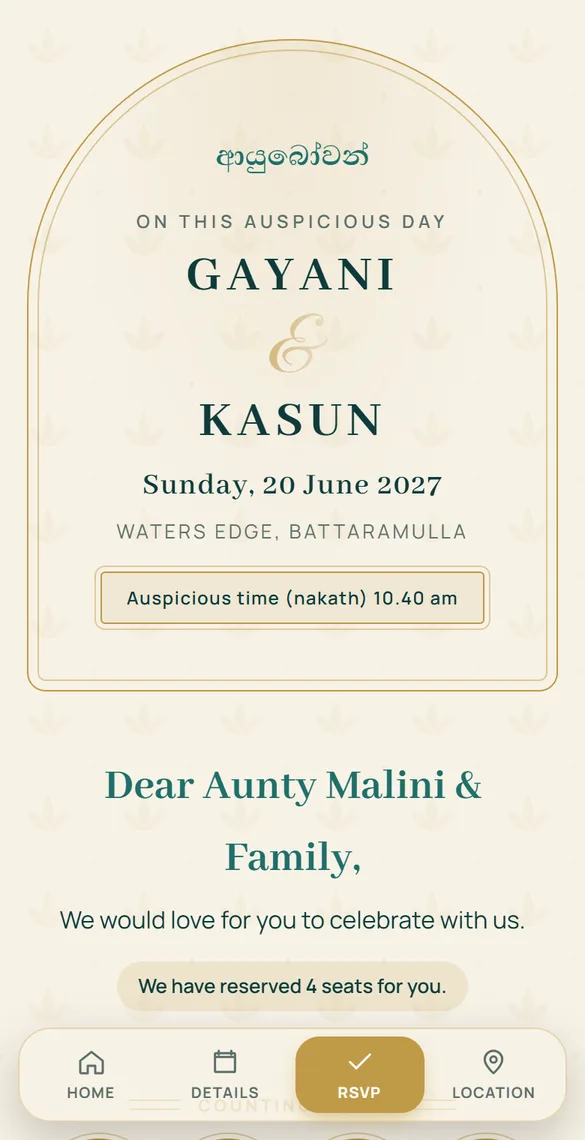
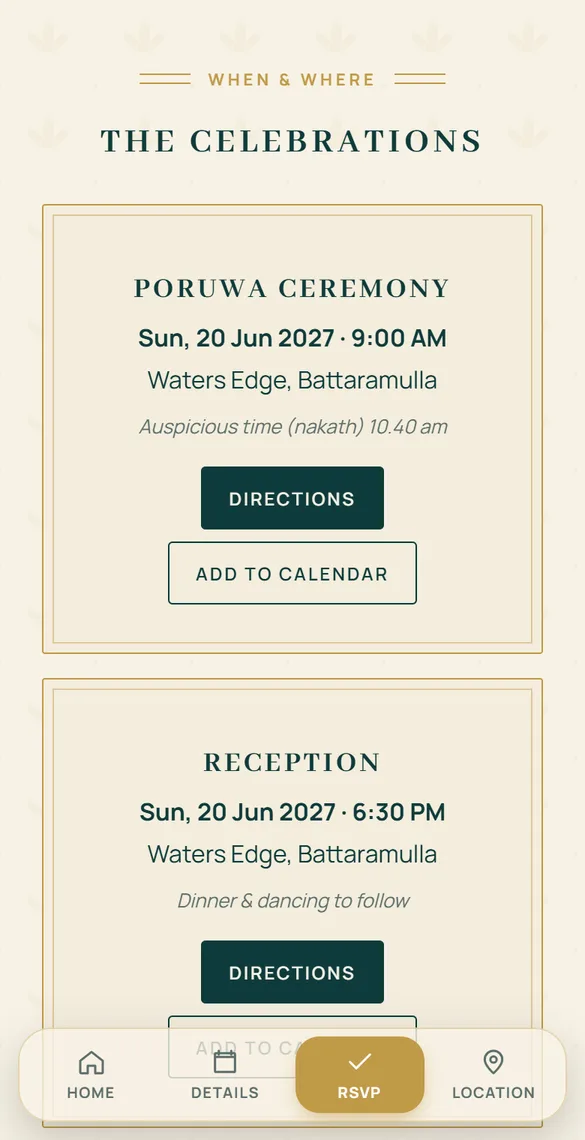
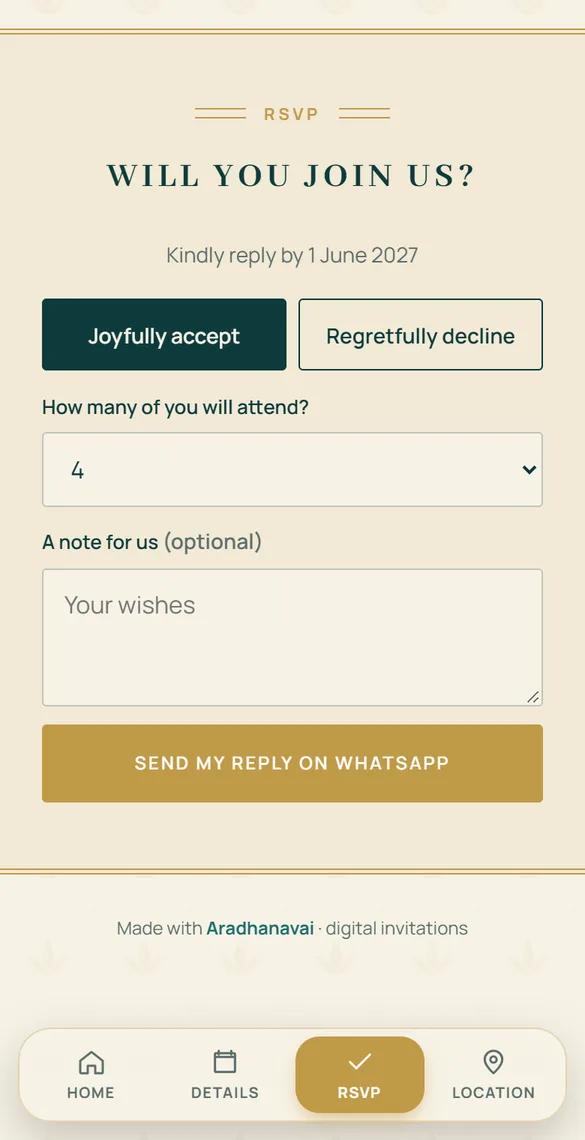
Included in every package
- One invitation website for your celebration, in the design you choose
- A personal link for every guest, with their name and reserved seats
- No limit on the number of guests
- Replies with head counts, collected for you
- A countdown to the day
- Your own login to change details anytime, even after sending
- Sinhala, Tamil or English wording
- Help from us on WhatsApp whenever you need it
How it works
Six steps, from design to replies.
Choose a design
Browse 65 designs for weddings, birthdays, parties and corporate events. Every one is a working sample: open it on your phone and see exactly what your guests will see.
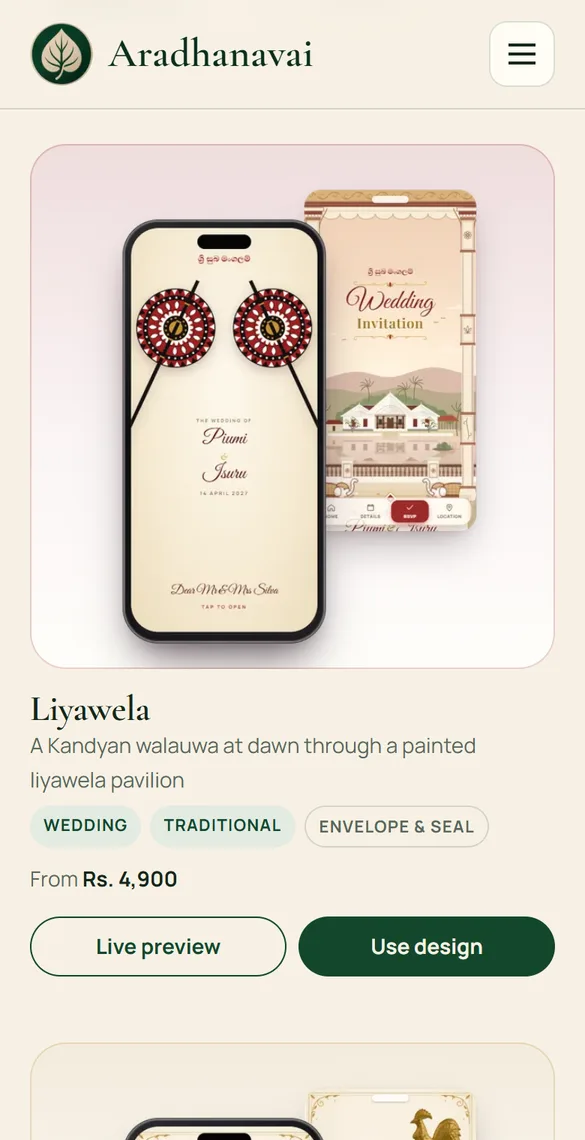
Send your order on WhatsApp
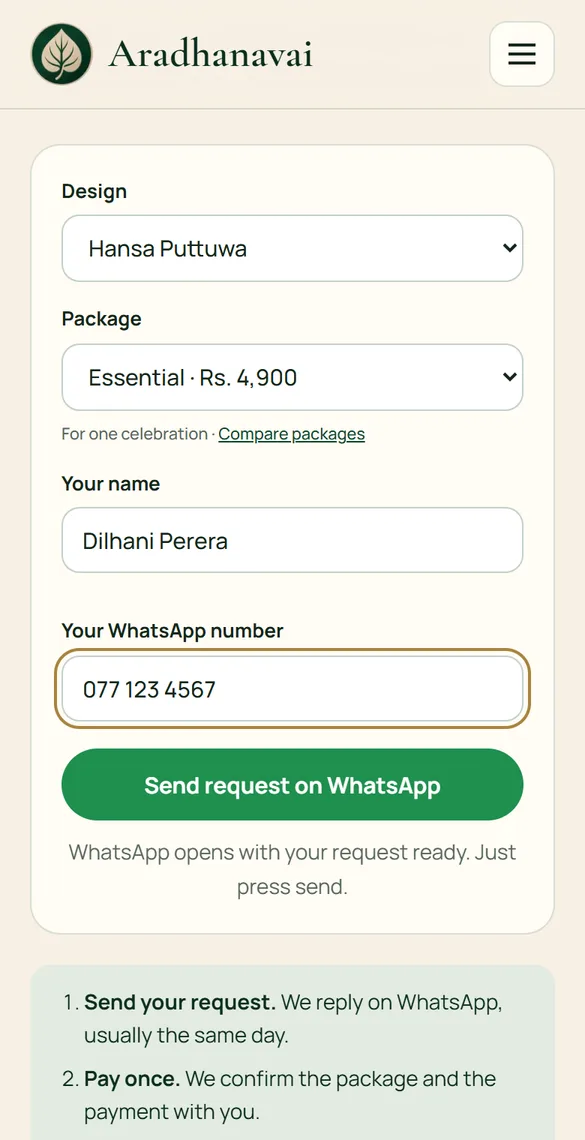
Tap “Use design”, choose a package, and enter your name and WhatsApp number. WhatsApp opens with your request already written. Press send and it reaches us.
Not sure which design or package? Send the request anyway and we help you choose.
Pay once and get your login
We reply on WhatsApp, usually the same day, and confirm your package. You pay once, by bank transfer or card. There is no subscription.
Then we create your account and send your username and password on WhatsApp.
Hi! I would like to order an invitation from Aradhanavai.
Name: Dilhani Perera
Design: Hansa Puttuwa
Package: Essential · Rs. 5,000
Thank you, Dilhani! Your invitation is ready to fill in.
Login: aradhanavai.com/login
Username: dilhani
Password: ••••••••
Add your details
Sign in to your portal and fill in your names, your message, and each event with its date, time, venue and map link. Preview it as often as you like.
If the venue or time changes later, change it once. Every guest sees the new details on the same link.
Names & wording
Events
Poruwa Ceremony20 June 2027 · 9:00 AM · Waters EdgeReception20 June 2027 · 6:30 PM · Waters EdgeSave detailsAdd your guests and send
Add each guest or family with their WhatsApp number and how many seats you are keeping for them. Each one gets a personal link.
Tap “Send on WhatsApp” next to a name. WhatsApp opens with the message and their link ready, and you press send.
Guest list
Guests reply, you see the count
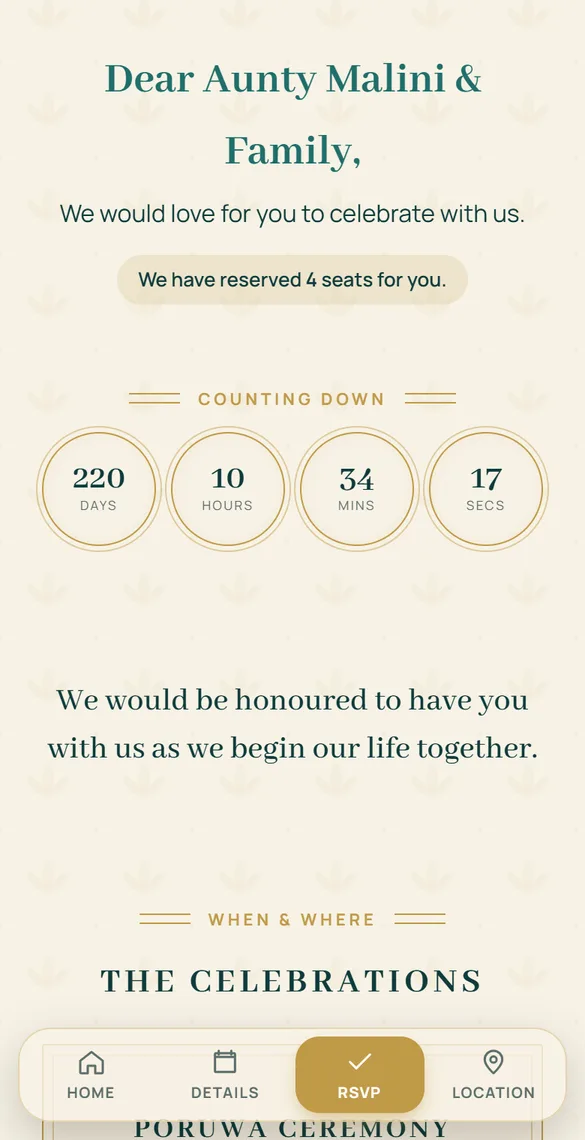
A guest opens their link, sees their own name and seats, and replies in one tap. You do not have to chase anyone or keep a list by hand.
Your portal shows who has opened their invitation, who is coming, who declined, and the total head count.
Replies

Ready to start?
Choose a design and send us your request on WhatsApp.